
Service · AI automation
Workflows that runthemselves
Chatbots, content pipelines, and process bots that cut manual work — with clear architecture, integrations, and measurement.
What we automate
AI that removes busywork — not judgment
We automate the repeatable path and keep humans on decisions that need trust, taste, or accountability.
Workflow bots
Connect tools and remove repetitive handoffs across ops, sales, and support.
AI assistants
Chatbots and copilots grounded in your docs, CRM, and policies.
Content pipelines
Draft, summarize, tag, and route content with human review where it matters.
Tool integrations
Slack, email, CRM, sheets, and APIs wired into one automation spine.
Delivery path
From process map to live automation
A clear path so you always know what is being connected, what the AI decides, and what a human must approve.
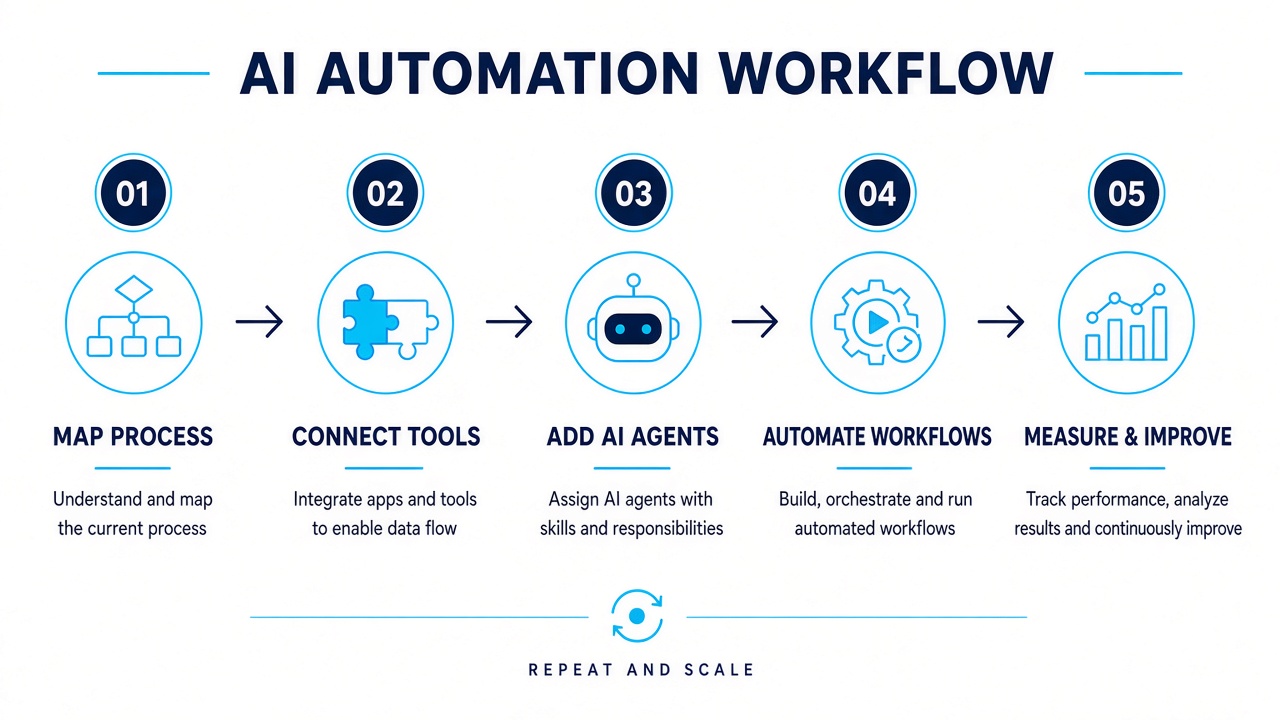
- 01
Map process
Find the manual steps that cost time — triggers, decisions, and handoffs.
- 02
Connect tools
Auth, webhooks, and APIs so the bot can read and write where work already lives.
- 03
Add AI agents
LLM steps for understanding, drafting, classifying — with guardrails and fallbacks.
- 04
Automate workflows
Orchestrate the path end to end, with human approval on high-risk actions.
- 05
Measure & improve
Track time saved, error rates, and adoption — then tighten prompts and rules.
System shape
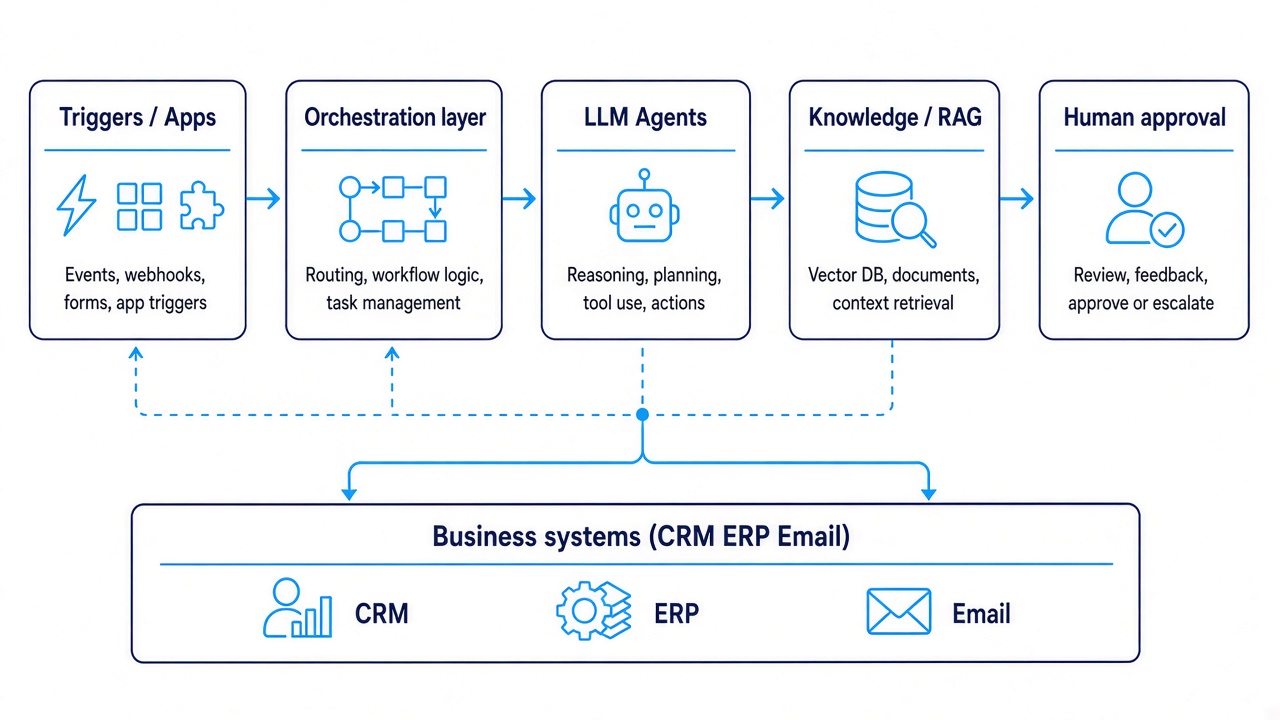
How the automation spine connects
Triggers start the flow. Orchestration runs the path. AI agents reason with your knowledge. Humans approve risk. Systems stay updated.
Triggers & apps
Forms, inbox, CRM events, schedules — anything that starts the flow.
Orchestration
Branching, retries, queues, and audit logs — the brain of the path.
LLM agents
Draft, classify, extract, or decide with context and tool calling.
Knowledge / RAG
Your docs retrieved safely so answers stay on-brand and factual.
Human approval
Checkpoints for refunds, sends, and anything that needs a person.
Business systems
CRM, ERP, email, and sheets updated so ops stays in sync.
Where it fits
Four automations teams actually ship
Lead triage
Inbound form → enrich → score → route to the right rep in Slack or CRM.
Inbox ops
Classify support mail, draft replies from your knowledge base, escalate edge cases.
Doc pipelines
Summarize PDFs, extract fields, tag and file into the right folder or sheet.
Ops sync
Keep CRM, sheets, and internal tools aligned after every status change.
Stack
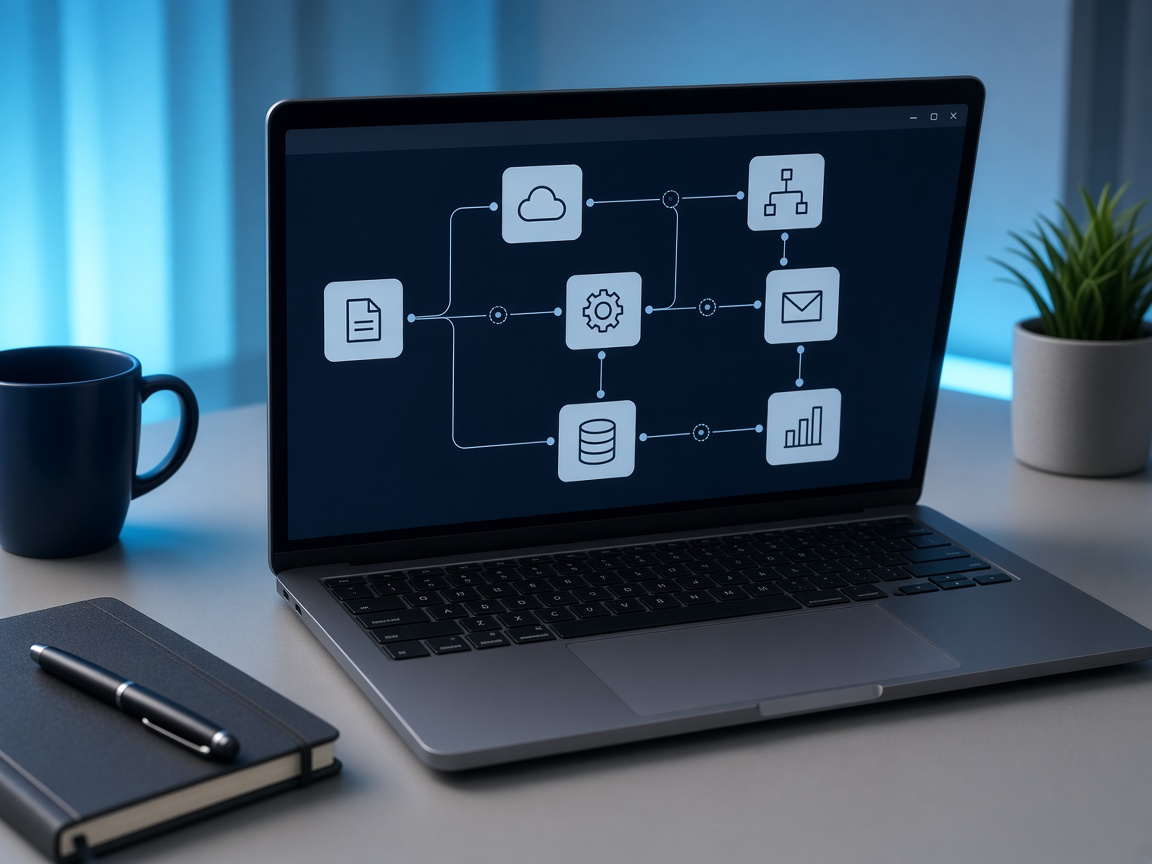
Built to plug into tools you already use
Tools & stack
What we build automation with
Practical orchestration, AI, and integrations — chosen so your team can own and extend the system.
Orchestration
n8n / Make / custom · Queues & retries · Webhooks
AI layer
LLMs · RAG · Tool calling · Prompt ops
Integrations
CRM · Email / Slack · Sheets · Internal APIs
Channels
Web chat · WhatsApp · Helpdesk · Internal copilots
Data
Vector store · Docs sync · Audit logs
Measure
Run metrics · Cost tracking · Quality samples
- Process map and automation scope before build
- Human approval gates on sensitive actions
- Run metrics and handover docs for your team